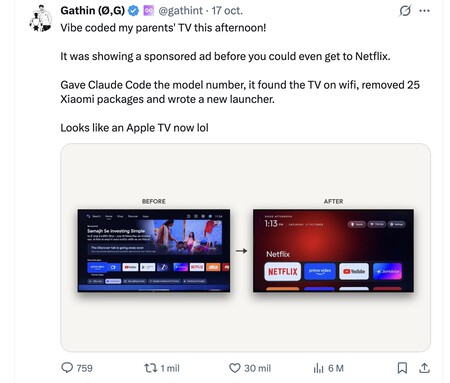
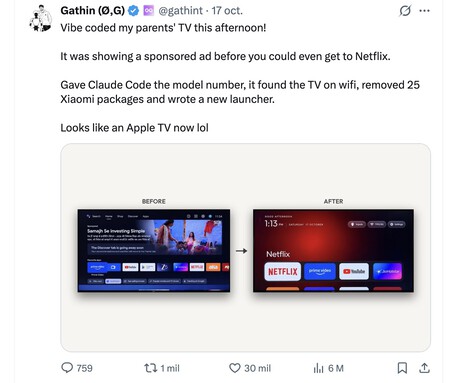
On Sunday afternoon, out of the blue, I saw a curious tweet from Stochastic Monkeys. In it they cited another tweet by a user named @gathint with an interesting discovery. That user (or users) had “vibecoded” to remove ads from your parents’ TV and transform Android TV’s intrusive interface into something much more minimalistic like Apple TV.
No ads, no bloatware and only essential apps.
Your TV is dumb. The tweet has become the latest viral AI sensation. A month ago it seemed that ChatGPT had to connect GPT-6 Astra with Unreal Engine or Blender, and a month ago we had the REA project able to clone almost any software, but that message from Gathint was a phenomenon, because in just a few days it received 6.4 million views and increased FAI on your TV.
As soon as it was said. After taking a look at the repository, I decided to give it a try on my HDMI dongle, an Onn 4K Plus. The process is really simple on a Mac (and similar on a PC) if you have Git installed:
- You open a terminal
- git clone https://github.com/Gathin23/cleanyourtv
- cd cleanyourtv
- Cloud (or whatever scheduling AI agent you use)
- Use as a prompt “Check the project and guide me step by step to do what can be done on my TV/Chromecast”
This user’s Github repository explains that the process is compatible with numerous televisions with Android TV and Google TV, although you must first enable USB debugging options from the settings menu (it’s very simple, you can tell the cloud “How do I enable USB debugging options on my TV”). With your TV and laptop on the same Wi-Fi, you’re done in just five minutes.
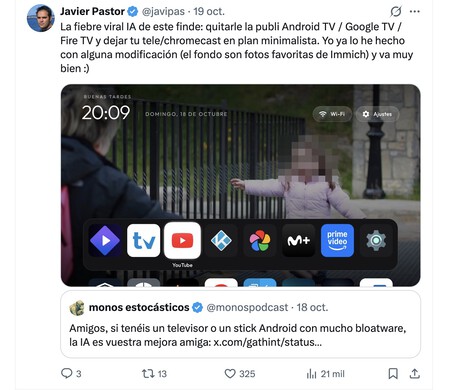
That’s it, let’s leave it to my choice. I thought the result was nice, but I wanted to keep several applications within reach on that first row, so I asked Claude to make the icons smaller and not use those big texts above the top row icons. I made one more personal change: I asked to use the folder of favorite photos from my Emich installation as the background of the interface, so now one of these photos is randomly shown every 10 seconds. It’s funny: I suddenly realized I was waiting for the next photo instead of using whatever app was in Spotlight. It’s the perfect excuse to revisit those moments.

Goodbye bloatware, goodbye ads. In its initial process, Gathint uses clod code to tell its parent’s Xiaomi TV to stop showing ads before accessing Netflix. After giving him the model and asking the agent to work, he disabled 25 Xiaomi packages and created a much cleaner launcher.
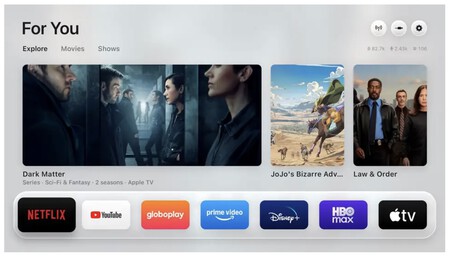
Another variant, Free My TV, offers an interface with recommendations from TMDB. The results are equally fantastic.
From tests to projects. Shortly after successfully completing this small project, Gethin also published the prompts and tools used on GitHub. He called the repository tv-vibehack and ended up renaming it cleanyourtv on October 19. Its operation is relatively simple: it connects to the TV (or HDMI dongle) via the local network, detects installed packages and deactivates those related to telemetry, advertising, applications.
you can go back. Then install a small launcher inspired by Apple TV. It does not require root access, and packages are disabled rather than uninstalled. This means that the process can be reversed: if something doesn’t satisfy you and you want to go back to the default interface of your smart TV or Chromecast-type device, you can do so.
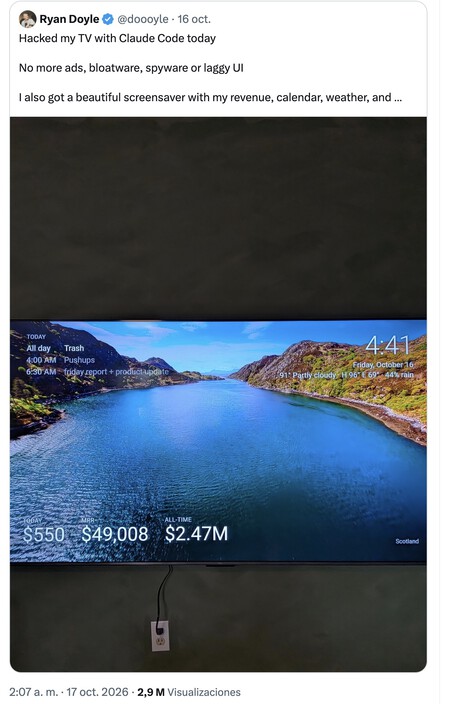
An Infectious Project (also for Fire TV). After a while, social networks, especially Twitter (X), began to fulfill projects that were a variation of Gathint published. DumbTV developed by Muzzammil Yasin Sabuwala with Dipsik V4.1 Flash, Claude Opus 5.5 and Claude Sonnet 5.5 is most popular. His philosophy was even stronger: that the television is limited to showing our applications and HDMI inputs, without advertising or telemetry.
Go for the fork, but before you try, check. The project works via ADB on FireTV and Android TV/Google TV, although access can be complicated for more closed platforms like Samsung, LG or Roku. Better to ask the AI agent to verify if your TV/device model is compatible with the process. There are dozens of similar projects on GitHub, some as interesting as Free My TV, though as always it’s a good idea to ask the AI agent to check whether the code might be malicious or not before executing or guiding us.
This has been possible over the years. Changing the Android TV launcher, using ADB to disable packages, or installing alternatives like Projective Launcher and Flouncher isn’t revolutionary. What’s really interesting is that now we don’t need to be experts in ADB or figure out what the com.google.android.tvlauncher package corresponds to, because all the work is done by AI. He is the one who touches the configurations and creates scripts that automate the project when we just need to ask things with natural language.
AI gives back control of our devices. Perhaps a good part of the success of this project and its variants lies in the fact that over the years technology manufacturers have been taking control of the devices we buy. Products like Smart TV, Chromecast or Fire TV have become new advertising platforms from morning to night, surprising and not being able to protest us. Now we can: just tell the AI to turn off those devices and turn them into whatever we want. And that’s wonderful.
In Xataka | How to “dumb” your smartphone: These apps want you to be less glued to the small screen