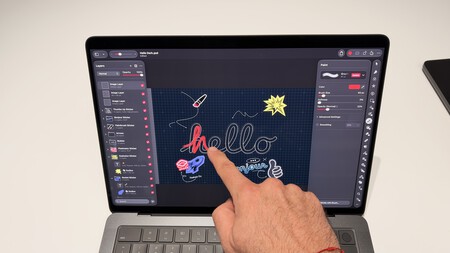
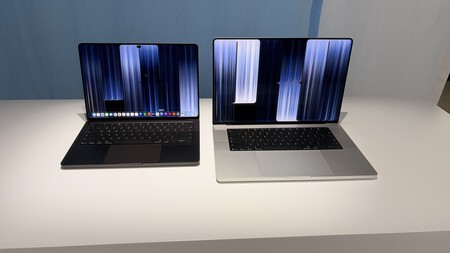
There’s a gesture we’ve been doing for years on the iPhone and iPad that’s now coming to the Mac: touching the person we want to interact with. An explanation for this seems pretty simple One of the biggest innovations is the MacBook ProBut after trying it out at Apple’s special event in Los Angeles, this is the best summary of what it has to offer. The touch screen adds a way to use the computer that is familiar from the first moment.
What’s interesting is how it coexists with everything else. The keyboard is still there, the shortcuts retain their usefulness and the trackpad retains its prominence. We can work as usual and, at a certain moment, raise our hand to enlarge an image, scroll a page or work directly on the content. The Mac experience It extends without giving up our habits: that’s what matters.
Touch the screen if it makes sense
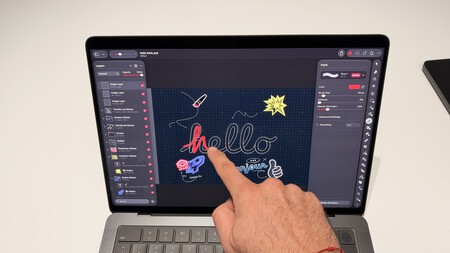
The most useful question when approaching this MacBook Pro is when its screen is most realistic to touch. And reactions start with fairly simple actions: pinching to enlarge a photo, scrolling through a website or moving an element in a presentation.
They are gestures that we already know. Here they are integrated into a desktop environment with its Windows, its applications and its professional tools. You don’t have to turn every task into a tactile interaction to find a use for them. It is enough that, at certain moments, the path between what we want to do and the result is short.
The MacBook Pro’s touch screen adds convenience to specific gestures: its main value is allowing you to switch between the keyboard, trackpad, and precision touch.
What convinces me most about this approach is the freedom of options. Typing with the keyboard, using the trackpad and touching the screen can all be part of the same task. Each interaction has its moments and the user decides which one is most comfortable for them.
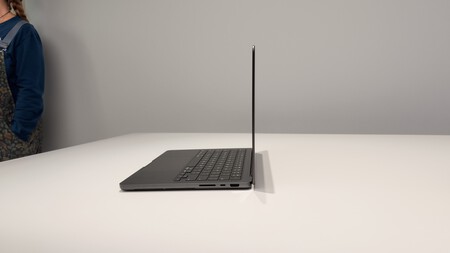
There are hardware decisions that help support that idea. The touch sensor is integrated into the panel itself and the hinge has been redesigned to offer greater stability while touching. These are relevant details on a laptop: the experience depends on how the screen physically reacts when we bring our hands closer.
Additionally, macOS translates touches into clicks To facilitate compatibility with existing applications. From there, new APIs allow developers to prepare specific interactions. This evolution will be important to discover how far this new way of working goes.
A screen that also changes what we see
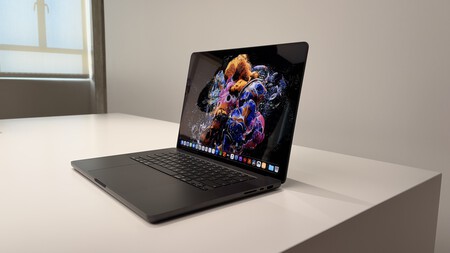
The other big change can be seen before touching. The new PROLED XDR display uses tandem OLED technology, with a maximum brightness of up to 2,000 nits in HDR and SDR and an adaptive frequency between 10 and 120 Hz.
During this first contact, the screen is the element that catches my attention. It makes sense: this is where new picture quality, thin edges and tactile interaction come together.
The new PROLED XDR display stands out for its tandem OLED technology, high brightness, extreme contrast and adaptive frequency. It promises the team’s most interesting changes and special interest for image, design and video work.
Specifications add context to that impression. Advertised contrast is 10,000,000:1 and color coverage includes P3 and Adobe RGB, over 80% of Rec. 2020. For those working in photography, design or video, these are features that need to be carefully tested in more extensive tests.
Useful dimensions also vary: panels reach 14.2 and 16.3 inches And here comes another familiar element that changes the perception of the whole, something we’re going to get for the first time on an Apple desktop computer.
Dynamic Island finds its place on the Mac
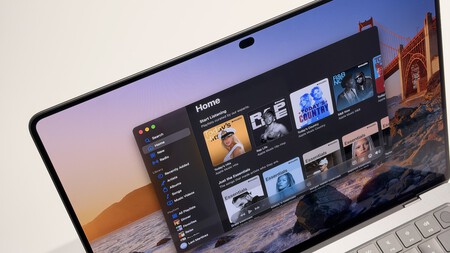
The arrival of dynamic islands makes the screen feel more open to me, with a greater sense of space. This is a visual impression of this first meeting, it is also supported by the reduction of frames and a familiarity after getting used to using the iPhone (and its possibilities).
But its interest goes beyond its looks. On the Mac it combines live actions and controls that we can consult without abandoning what we are doing: for example, playing music, a call or an airdrop request. If Siri AI is available and activated, it can host Spotlight.
Dynamic Island comes to Mac as a visual space for live action and quick control without interrupting your work. Combined with the touch screen, it makes sense by allowing you to act directly on that information
With a touch screen, that area gets another use. The information is visible and we can work on it directly with our fingers. This is a reference that comes from the iPhone and finds its own application in the computer.
apple is Bringing some of the interactions we’ve learned to your other devices with the Mac. The relevant point would be that everyone finds a real reason for existence here. In this case, a combination of concise information and direct access seems like a good starting point.
More possibilities to create
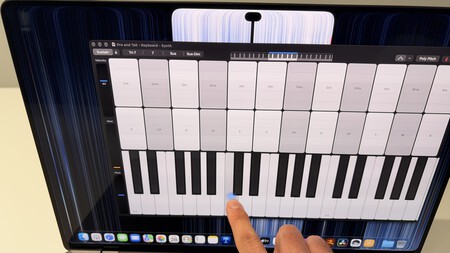
Where I see touch screens the most Creative tools. Being able to work on content opens up other possibilities than managing it from the trackpad.
In Logic Pro, for example, the offering includes software instruments including a multi-touch polyphonic keyboard, percussion pads and on-screen chords. In Final Cut Pro, gestures let you mark intervals, position clips, or zoom in on a scene. Pixelmator Pro includes direct interaction for drawing, painting and selecting on the canvas.
Each application needs to demonstrate what it contributes to everyday use. It is also planned that tools such as Lightroom, DaVinci Resolve, Blender or Shapr3D will take advantage of these possibilities, with adaptations that will arrive before the end of the year.
The most suggestive part is what developers do You can build from here. We have the power and flexibility of Mac apps, now there’s another way to interact with them Some advantages will be obvious; Others will appear as users begin to incorporate them into their work.
Lighter, a word that stands out
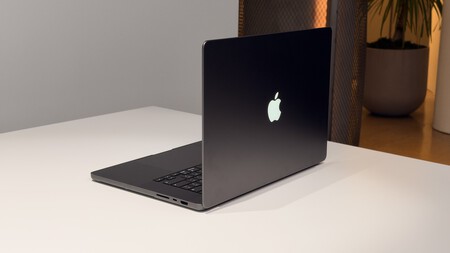
Changes are also felt when handling equipment. The 14-inch model starts at 1.38 kg and the 16-inch model starts at 1.82 kg: 227 and 317 grams less, respectively. This reduction helps this MacBook Pro It is more comfortable and reinforces its portable nature.
The glowing apple also returns, A detail that I instantly recognized and which restores a very identifiable part of the history of these Macs It is something of a reunion amid a renewal that looks forward.
The sound is another category that leaves me with a good first impression. It sounds very good. The system maintains six speakers and debuts a design with which Apple claims 50% deeper bass. In other situations there will be time to listen to it, but during testing it is one of those features that goes well with what the screen has to offer.
Inside we find the M5 Pro and M5 Max with configurations of up to 128GB of unified memory and up to 16TB of storage. It has the ability to deal with the needs of video jobs, 3D creation, development and local artificial intelligence, although this initial contact does not yet allow us to evaluate its sustainable performance or verify the declared autonomy of up to 24 hours, which we will leave for review.
A Mac with more ways to use it
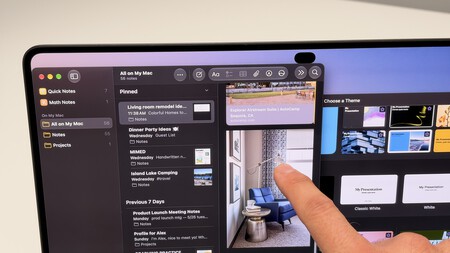
I left this first test with the feel of the touch screen It is offered as an aid that we can incorporate into our rhythms. Those who use it frequently and those who solve small tasks every day will find two or three gestures. Both uses make sense, although we have to decide whether the changes improve our daily lives.
The new MacBook Pro’s touch screen is presented as a flexible aid, not an obligation. Its true reach will depend on how users and applications take advantage of these new forms of interaction
Mac stores what makes it recognizable And adopt the interactions that millions of people already use on iPhone and iPad. Here they coexist with desktop applications, keyboard shortcuts and work processes that have evolved over the years.
That’s what interests me the most after testing it in Los Angeles: The new MacBook Pro offers more options for doing what we already do, and leaves room for others to discover. Touching the screen can be a small gesture. What applications and users build around it will determine its reach.
In Xataka | MacBook Pro M5 Pro and M5 Max: A textbook “if something works, don’t change it”, but with two vibrant hearts