For years, Apple refused to include touch screen Its computer had one of the strongest red lines in the Cupertino company. However, the arrival of the new touch-based MacBook Pro (OLED technology and a price that surpasses the usual barrier to entry) changes everything.
In contrast, the established MacBook Pro with the M5 Pro chip, a true titan of performance, raw power and the stability that has been achieved in favor of professionals and manufacturers. Now the big question is: Does the touch experience really justify the huge extra cost with the M5 Pro over a traditional model?
The short answer is that unless your workflow relies exclusively on direct panel gestures, ultra-precise design or absolute cutting edge, the premium of the standard variant is hard to justify for a standard user. Let’s break it down, point by point. How are they similar, how do they differ and which one should you choose? according to your needs.
MacBook Pro Touch 14 Inch 1TB
Prices may vary. We earn commission from these links
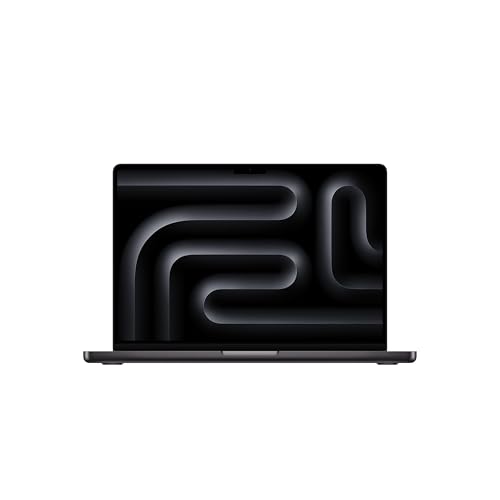
Apple MacBook Pro 14.2 inch laptop with M5 Pro chip 1TB
Prices may vary. We earn commission from these links
The great frontier: OLED touch screen vs classic MiniLED
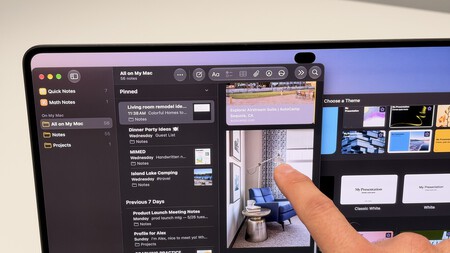
This is undoubtedly the main reason for the price disparity.
- MacBook Pro Touch: Apple’s new laptop OLED touch panel (14 and 16 inches) makes a definite leap with the integration of Dynamic Island, offering pure black, infinite contrast and the possibility to interact directly with the macOS operating system using touch gestures.
- MacBook Pro (M5 Pro): It relies on an outstanding 14 or 16-inch MiniLED panel with up to 120 Hz (nanotextured glass is an option), up to 1,600 nits of brightness in HDR, and outstanding color fidelity, but is strictly traditional (no touch support).
Does the touch panel compensate? If you work directly with touch graphic design, illustration or multimedia use where OLED makes a sharp difference, the touch screen is a real technological candy for the user. If you’re only going to use the keyboard and trackpad, paying extra doesn’t make sense.

Performance and brains: the M5 against the new avant-garde
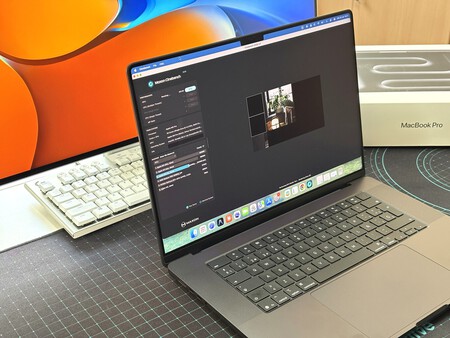
Under the hood, both teams play in leagues with the highest professional demands, albeit with architectural nuances.
- MacBook Pro (M5 Pro): It offers outstanding thermal balance, ultra-quiet operation, and plenty of power for rendering, heavy code compilation, and running native AI models in complete privacy.
- MacBook Pro Touch: It incorporates the latest evolutions of Apple silicon optimized by its new hinge and chassis redesign to withstand the pressure of touch interactions without swaying.
at its level gross performance For office work, video editing or programming, a MacBook Pro with the M5 already literally flies, so jumping to a touch model won’t give you a decisive speed advantage on a day-to-day basis.
Connectivity and autonomy
Both the M5 family and the new Touch generation share the qualities that have made Apple’s pro laptops great in recent years:
- Connection: Presence of Thunderbolt port, HDMI output, SDXC card slot, headphone jack and inclusion of Apple N1 chip with WiFi 7 and Bluetooth 6.
- Autonomy: Both ranges boast stratospheric figures of around 15-20 hours of real use or more, allowing you to get through a full working day (and more) without going through a charger.
So… which one to choose?
Choose MacBook Pro Touch if…
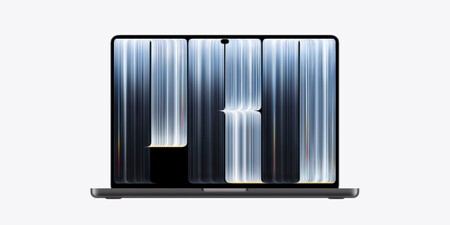
- You have a comfortable budget: You’re looking for the absolute technological cutting edge from Apple, regardless of the skyrocketing final price.
- You value OLED technology: You want the best blacks on the market, infinite contrast and display quality superior to any conventional panel.
- Do you work with design or direct retouching: You need to interact with the screen using gestures to speed up very specific illustration or visual editing workflows.
- You want maximum innovation: You’re looking for a unique device in the Apple catalog that breaks with the traditional way of using macOS.
MacBook Pro Touch 14 inch
Prices may vary. We earn commission from these links
Buy MacBook Pro with M5 Pro chip if…
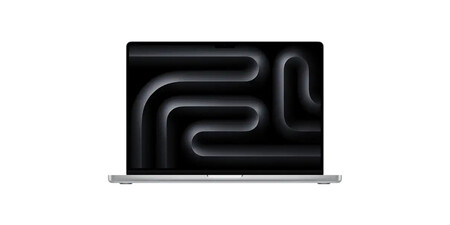
- If you are looking for a smart and balanced purchase: It is the most logical option to get professional performance without paying the premium price of a touch screen.
- You work with the classic formula: You love the maximum precision and speed of the trackpad and keyboard without touching the screen with your fingers.
- You prefer the MiniLED screen: Its current panel already offers a spectacular brightness of 1,600 nits and 120 Hz in HDR, which is more than enough for video and photography editing.
- If you want to save your purchase: You get the same autonomy, brutal computing power and better connectivity for a much more affordable price.
Apple MacBook Pro 14.2 inch laptop with M5 Pro chip 1 TB
Prices may vary. We earn commission from these links
Technical sheet of new MacBook Pro with touch screen and MacBook Pro with M5 Pro
|
MacBook Pro M5 Pro (PROLED XDR) (14 and 16 inches) |
MacBook Pro M5 Pro (14 and 16 inches) |
|
|---|---|---|
|
Dimensions and weight |
high: 1.5cm/1.60cm extensive: 31.08cm/35.55cm Background: 21.63cm/24.42cm weight: 1.38 kg / 1.82 kg |
high: 1.55cm/1.68cm extensive: 31.26cm/35.57cm Background: 22.12 cm / 24.81 cm weight: 1.6 kg/2.14 kg |
|
screen |
14/16 inch ProLED XDR display
|
14/16 inch mini LED screen
|
|
Chip |
Apple M5 Pro Chip (14 inch)
Apple M5 Pro Chip (16 inch)
|
M5 Pro Chip (14 inch)
M5 Pro Chip (16 inch)
|
|
memories |
24, 26, 48, 64 or 128 GB unified memory |
24 GB, 48 GB or 64 GB unified memory |
|
storage |
1, 2, 4, 8 or 16 TB SSD |
1, 2 or 4 TB SSD |
|
battery |
14 inches:
16 inches:
|
14 inches:
16 inches:
|
|
port |
SDXC card slot HDMI port 3.5 mm headphone jack MagSafe 3 port Three Thunderbolt 5 (USB‑C) ports |
3.5 mm headphone jack MagSafe 3 charging port HDMI port SDXC card slot Three Thunderbolt 4 ports (USB-C) |
|
wireless connection |
Apple N1 wireless connectivity chip Wi-Fi 7 (802.11be) Bluetooth 6 Thread network technology |
Apple N1 wireless connectivity chip Wi-Fi 7 (802.11be) Bluetooth 6 |
|
the camera |
12 Mpx center stage camera compatible with top view Video recording in 1080p HD Advanced Image Signal Processor with Computational Video Improved video stabilization |
12MP center stage camera compatible with top view Video recording in 1080p HD Advanced Image Signal Processor with Computational Video |
|
Audio |
High-fidelity six-speaker system with de-emphasis on UFA A set of three studio-quality microphones, high signal-to-noise ratio and directional beamforming technology 3.5mm headphone jack and advanced high-impedance headphone support The HDMI port supports multi-channel audio output |
High-fidelity six-speaker system with de-emphasis on UFA A set of three studio-quality microphones, high signal-to-noise ratio and directional beamforming technology 3.5mm headphone jack and advanced high-impedance headphone support The HDMI port supports multi-channel audio output |
|
the price |
From 3,349 euros |
From 2,679 euros |
MacBook Pro Touch 14 inch
Prices may vary. We earn commission from these links
Apple MacBook Pro 14.2 inch laptop with M5 Pro chip 1 TB
Prices may vary. We earn commission from these links
Some links in this article are affiliated with and may benefit Xataka. In case of unavailability, offer may change.
Picture | Pedro Aznar and Javier Penalva (Jataka) and Appl
In Xataka | The best iPhone. Which to buy in 2026 and recommended models based on budget, taste and quality-price
In Xataka | MacBook Pro M5 vs MacBook Pro M4. Which Apple laptop to choose based on your taste and needs