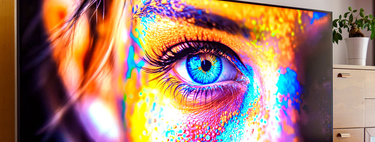
Apple took longer than necessary to make two moves that we expected a few years ago: putting an OLED screen and a touch screen on a MacBook. The result is the new MacBook Pro PROLED XDR, the brand’s most sophisticated MacBook and one with a screen up to 2,000 nits. And of course, in addition to the very high price, that raises the question… Will the panel burn?
And if I had the 3,349 euros it costs and wanted one, I wouldn’t have that thought.
restlessness. That’s logical because, over the years, we’ve seen burn-in incidents and something more serious: total shutdown of some pixels. In an OLED panel, the pixels themselves emit light and, being organic materials, wear out with use. Burn-in occurs when a particular element is displayed on the screen for many hours, as those pixels age older than the surrounding ones.
The result is a permanent “shadow” of a logo, bar, or part of the interface that doesn’t go away when the screen is turned off. And if this is a concern on a television, on a computer monitor that has hours and hours of specific elements such as browser menus and search bars, docks or toolbars, even more.
Evolution of defense. Considering the concern is valid (and you mentioned it in the comment about laptop presentation), there are a few things we must take into account. Over the generations, this panel’s defenses have grown and are divided into three categories:
- Software. Manufacturers use various trade names and such, but in essence, there are three major advances in static component burn-in prevention. On the one hand, move the image a few pixels apart so that none of them carry the weight of reproducing the same content. Others recalibrate the panel for a few minutes, for example when turning them off, and the brightness can also be reduced in certain elements such as the taskbar. Asus, Samsung or MSI do this on their monitors.
- hardware. There is also the panel itself and the heatsinks. Brands are adding better heatsinks so that the pixels heat up less and thus reduce the risks, but MSI has a presence sensor that knows if there is someone in front of you to start the panel care process if you walk away.
- Commercial support. Finally, manufacturers know that OLED panels have these trade-offs and, while they aren’t always the first to add years to warranties, Asus and MSI offer three-year warranties. This applies less to Apple as it depends on each manufacturer.
Apple panel. What this has to do with the Apple company is that, while we still don’t know what kind of OLED this MacBook Pro has, we do know that the iPad Pro includes tandem OLED technology. They stack two emissive layers to distribute the charge between both layers, which makes combustion more difficult.
Technology is not perfect. Rtings is a screen expert analyst who has become a reference in recent years when it comes to analyzing OLEDs and detailing the care we have to take with them. This summer they published an article with an alarming title in which they said the burning of the panels was worse than they expected, with virtually all panels burned.
The asterisk is that, without removing a comma from the Rtings article, which is practically a scientific analysis, it is true that these experiments are done in a brutal way. For example, playing CNN for 18,000 hours to see where burnouts occurred and in what percentages.
That 18,000 hours would be like watching the same channel for five hours every day for ten years. No one uses the television like this (or almost no one) and Rtings himself commented that this test is not equivalent to ten years of normal use and if you watch a variety of content, the chance of burn-in is still low.
My two cents. That said, I completely understand why the perception persists that OLED panel burn-in is still an issue. It’s a typical “make a reputation and go to sleep” thing, but in this case it makes sense because an OLED TV, monitor or laptop is something very, very expensive (and in the case of a MacBook, I won’t tell you about it). However, nobody uses tools like expert media analysts in this field.
In the case of a laptop, it is true that we fix the components on the dock or top bar. If you’re in the browser all day like me, Firefox is the bar. But of course, you always watch a video and both the dock and the top bar are removed, or you exit to the desktop, or load another desktop…
That is, even if you spend many hours playing the same thing, if you leave that app to do something else, you’ll probably refresh some components and eliminate the possibility of burnout. And that, again, without knowing what technology Apple applies to this fight. The bottom line is that, if it catches your eye and you have the money to spend on it, I wouldn’t mind the burn one bit.
Picture | apple
In Xataka | The iPad spent ten years trying to be a Mac. Ultimately it’s the Mac that’s the only thing left of the iPad