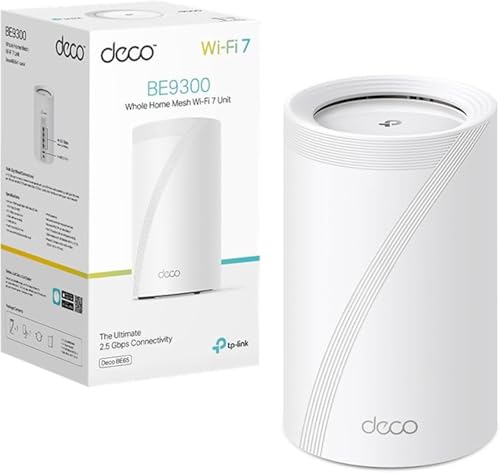
A good router with a Wi-Fi access point may not be enough to bring a fast connection to the whole house. Coverage gets to me in every corner, though I lose a lot of speed towards the end. And there’s another problem: how to connect computers in a room away from the router via Ethernet without running cables through the wall? This is where the TP-Link Deco BE65 comes in These are not ordinary Wi-Fi repeaters: they allow you to extend a high-speed network without doing any work Of course, the solution isn’t exactly cheap.
✅ Buy if…
- You have a large or multi-storey house and you need a good network in all the rooms
- You want to connect computers and other devices via Ethernet without installing wiring all over the house.
- You have high-speed fiber and want to take advantage of it in areas far from the router.
❌ Do not buy this if…
- You just need to extend the Wi-Fi coverage: a cheap mesh system can be enough.
- Your connection is modest and you don’t need a 2.5 Gbps Ethernet port
- You already have Ethernet wiring in your home, and you can set up a network with inexpensive access points
Essential within 30 seconds
The TP-Link pack consists of three identical nodes that can be placed in the farthest part of the house to extend the WiFi signal without any complications. That’s one of their strong points: I don’t need to complicate my life to install them. It’s (almost) as easy as plug and play.
Once the devices are connected to the router via an Ethernet cable, it becomes the base device from which access is shared. Then, simply place the other two in place to establish a network with massive coverage. Not only that: although there is a logical loss of quality, The network maintains very good speed and latency Completely even through WiFi.
Each node has four Ethernet ports that can be used for wired connections (and one USB-A). I liked this versatility, as I improved the connection in the office, the room furthest from the router, with the option of plugging into the computer by cable. Or printer if needed. all Without house wire And without too much loss in terms of Ethernet: the TP-Link Deco BE65 system is truly a complete all-in-one system. I don’t need anymore.
Each node has four 2.5 Gbps Ethernet ports that can be used for wired connections (and one USB-A). I liked this versatility, as I improved the connection in the office, the room furthest from the router, with the option of plugging into the computer by cable. It’s almost like installing small network switches in different rooms, though without connecting them together using cables. Nodes communicate via Wi-Fi and distribute connections via Ethernet to nearby devices. All without doing any work, though conditioned by the wireless link between the deco. This is exactly where the TP-Link Deco BE65 justifies much of its price.
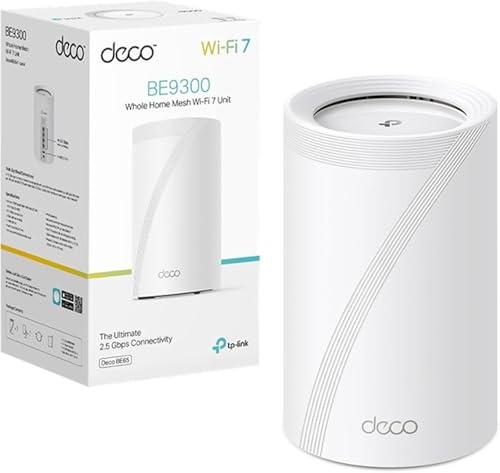
TP-Link Deco BE65 (1-Pack) – WiFi 7 Mesh System, BE9300 Tri-Band, MLO | Whole house coverage. Unified Network. Connect up to 200 devices. 4 2.5GE ports. Parental control. Deco app
Prices may vary. We earn commission from these links
Our Experience with the TP-Link Deco BE65 Mesh WiFi System
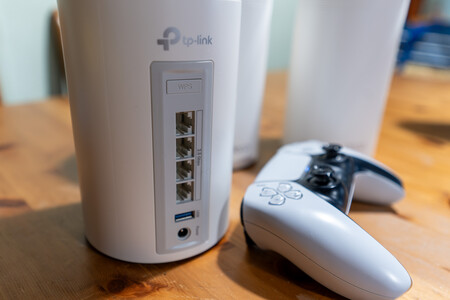
A pack with everything you need. TP-Link has three units that, once connected to a socket with its respective transformer, automatically connect to each other to establish a WiFi network. Additionally, each unit has four 2.5 Gbps Ethernet ports that extend connectivity to provide access to devices with an RJ-45 port. The design is simple, the hardware is up-to-date and its simplicity enhances the experience. The network is established in minutes with the Deco app.
fast? too fast. The TP-Link Deco BE65 WiFi Mesh System is tri-band: it is compatible with 6 GHz networks. On WiFi 7 it reaches 5,760 Mbps which is more than enough speed to bring quality internet anywhere. That theoretical speed is reduced by connecting to the router via Ethernet, which I have: in measurements, I achieved about 2.4 Gbps (about the maximum given the included Ethernet ports). Since I have 10 Gbps fiber from Movistar, I bring a quarter of that wireless speed to any room with a WiFi mesh network. With very low latency for a mesh network.

Tri-Band WiFi 7. The wireless network set up by the TP-Link mesh router is the latest in technology (until the WiFi 8 standard is complete). I have a tri-band WiFi 7 router at home, and having the added mesh network made it easy for me to extend the main access point’s capacity to three TP-Links. Wherever I am, I connect to a 6 GHz network with high-level speed and latency. Even in the garden, because one of the nodes is on the ground floor near the garage door. I can adjust settings from the app and even use a combination of three bands on MLO to improve connection stability in areas with good coverage.
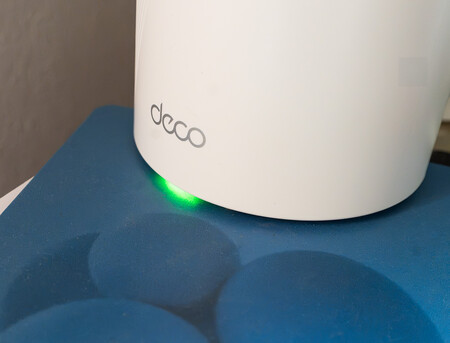
The base node is connected and running
Everything I need for my network. One of the errors I have seen is that the system is not configured with the TP-Link app (Tether), which is on my router: it requires a separate app (Deco). Once configured with a TP-Link account, and the base repeater connected to the main router, configuring the network is as simple as choosing different SSIDs, if you want double NAT or use one on the router (which I recommend), you can manage clients, enable ports (with double NAT), and check what’s happening in real time from any device… local connection. It’s the cherry on top of a set that not only makes it easy to extend coverage, but also allows you to customize it in detail. win win
WiFi 7 isn’t just about speed. The Deco BE65 takes advantage of channels up to 320 MHz in the 6 GHz band, using technology to improve simultaneous transmission and can combine different bands using MLO. In practice, what I appreciate most is not the maximum number: it’s being able to move away from the router and still have a fast connection, with good latency and without worrying about where I’m connected. The combination of tri-band WiFi 7, wireless backhaul and intelligent network management means that all three repeaters work together without me having to worry. Tranquility is another benefit.
Technical Data Sheet for TP-Link Deco BE65 Mesh WiFi System
|
TP-Link Deco BE65 |
|
|---|---|
|
dimension |
107.5 x 107.5 x 176 mm |
|
Wi-Fi standard |
Wi-Fi 7 IEEE 802.11be/ax at 6 GHz IEEE 802.11be/ax/ac/n/a at 5 GHz IEEE 802.11be/ax/n/b/g at 2.4 GHz |
|
Wi-Fi speed |
BE9300 Tri-Band 6 GHz: 5.765 Mbps (802.11be) 5 GHz: 2.882 Mbps (802.11be) 2.4GHz: 688Mbps (802.11be) |
|
Coverage and capacity |
4 high-performance internal antennas TP-Link mesh technology with AI-based mesh 2×2 MU-MIMO and OFDMA 6 data stream Multi-Link Operation (MLO), 320 MHz channels, 4K-QAM and Multi-RU |
|
Working mode |
Router mode Access point mode |
|
Ports and hardware |
4 x 2.5 Gbps Ethernet ports (WAN/LAN auto-sensing) per unit 1 USB 3.0 port (compatible with FTP, multimedia and Samba servers) 1 reset button and 1 WPS button |
|
safety |
WPA-Personal, WPA2-Personal and WPA3-Personal encryption SPI Firewall and Access Control HomeShield Security (IoT Protection, Intrusion Prevention and DDoS) Guest networks at 6 GHz, 5 GHz and 2.4 GHz VPN Server and Client (OpenVPN, PPTP, L2TP/IPSec) |
|
Software and Management |
IPv4 and IPv6 protocols Parental Control and Quality of Service (QoS) HomeShield Isolation of networks and IoT devices Support IPTV, VLAN, NAT forwarding, UPnP, DHCP and DDNS Manage via Deco app and OTA updates Compatible with Google Assistant |
|
others |
Available in packs of 1, 2 and 3 units RJ45 Ethernet cable and power adapter included CE and FCC certification |
|
PRICE |
613.96 euros |
TP-Link Deco BE65, review by Xataka
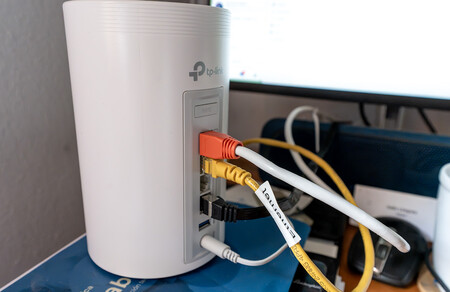
Node installed in office where I connect three computers via ethernet
I thought I didn’t need a mesh network at home, and now it’s getting hard to live without it. It wasn’t night and day for me in terms of features and performance, but it did improve coverage, speed to the furthest corners of the router, and general download and upload ratios. Besides, It took me to the ethernet port In places I never thought they would be. With the option to hide a hard drive on each USB and share it on the network without buying a NAS.
It seems to be impeccable in the technical department, I couldn’t ask for more. It’s more than I need, although I understand that not everyone needs them. TP-Link specifically targets larger homes, with multiple floors or rooms far from the router where full contracted speeds are not reached. And where, in addition to improving Wi-Fi, Interested in connecting the device by cable. With three nodes you can set up an entire network without complicating your life. Of course, performance will depend on the distance and obstacles between them.
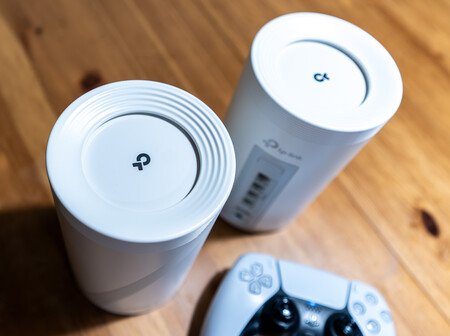
And here comes the main drawback: the price. For around 600 euros, the pack is only worth it if you need a complete and top-level all-in-one. If you only want Wi-Fi to reach every room, you’ll be paying for capacity you likely won’t use. In that case, a more affordable mesh Wi-Fi 6 system like the TP-Link Deco X50 is probably a more reasonable purchase.
Do I recommend it to you?
Absolutely, but only if you need more than just extending Wi-Fi coverage. The TP-Link Deco BE65 system is designed for those who want a fast, stable network with a 2.5 Gbps Ethernet connection throughout the home and without installing cables. TP-Link has created a complete solution for home needs, although it’s not one I’d recommend to those who only want to reach the Internet in the last room.
Picture | Xataka
In Xataka | Best routers 2026: which to buy and 7 recommended models from under 50 euros
This device was provided by TP-Link for testing. You can check how we review our relationship with Xataka and the policy of our relationship with the company.