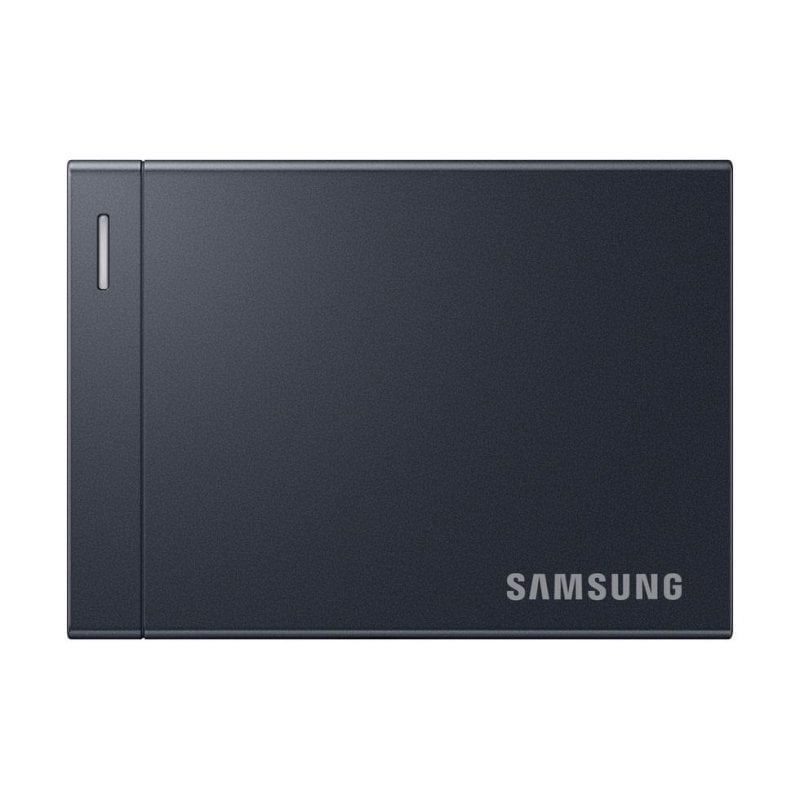
Looking for RAM or SSD in any store right now is tantamount to starting to shiver. The ship has long since sailed (at least for now) to buy some of these ingredients at a good price, but the need does not disappear. Plenty of storage space is essential for those of us who constantly store and transfer lots of files like photos and videos And, if we don’t want to go to the cloud, Few things are more useful for this than an external SSD.
That’s exactly why the new Samsung SSD P9 caught my attention, a new storage unit that promises to be one of the fastest out there, but which arrives at a difficult time for such devices. I am going to tell you what my experience was with it, what results it gave me in various tests. And if it is worth buying.
✅ Buy if…
- You are looking for an external SSD that is very fast.
- You work with very heavy video files or RAW photography.
- You need a lot of capacity in an SSD that is compact and lightweight.
❌ Do not buy this if…
- You only want to save text documents, photographs or backup copies.
- You don’t have any equipment with USB 4.
- Are you looking for an economical storage option.
Essential within 30 seconds
The P9 SSD stands out in particular for using the USB 4 Gen 3×2 interface, which it has Bandwidth of 40 Gbps. Samsung promises that, thanks to this interface, the SSD has maximum speeds of up to 4,000 MB/s reading and 3,800 MB/s writing. It doesn’t reach those figures in the tests we’ve done, but it’s pretty close. So yes, it is very fast, though only if your device is compatible with this interface. If it doesn’t, you can use it at a lower speed.
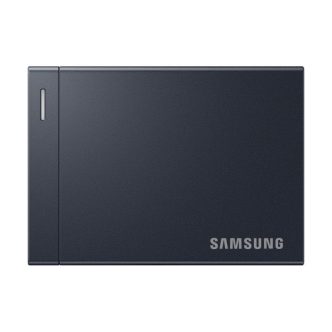
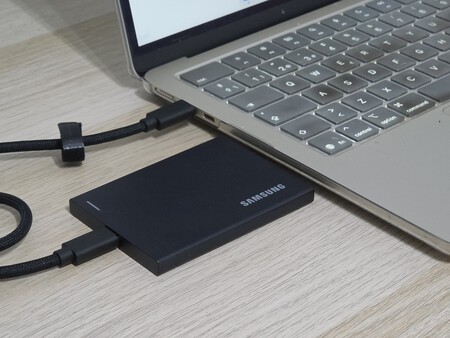
The drive we reviewed has a 2TB capacity, but SSDs are available in one, four, and up to 8TB. All are housed in a metal casing that has a very premium look (though be careful not to scratch it) and promises to withstand drops of up to two meters. Also, it has approximately the dimensions of a credit card, with a thickness of 8.3 millimeters and a weight of 96 grams. You can carry it in your pocket and it’s barely noticeable..
Supports SSD Password protection and 256-bit AES encryption Through Samsung Magician, the app that this manufacturer needs to manage its storage. And here comes a problem: we can only do it on Windows, not on Mac (at least, at the time of this analysis). Very attractive features at a high price: 599 euros for its 2 TB version.
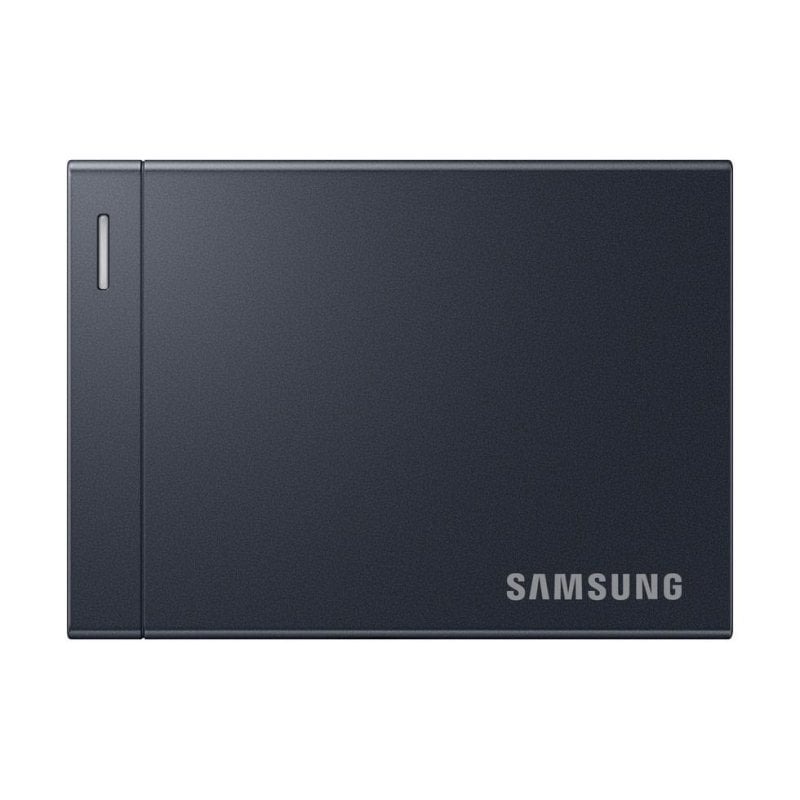
Prices may vary. We earn commission from these links
Our Experience with the Samsung P9 SSD
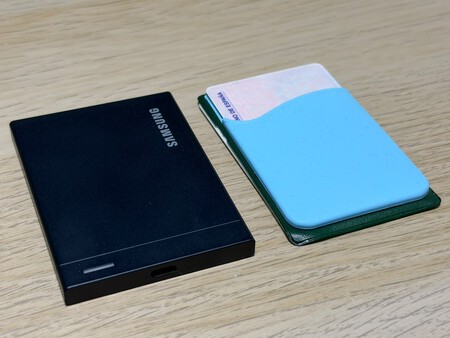
Compact design that feels premium. By swapping the plastic used by its predecessor for a metal casing, this P9 SSD has an elegant and very simple design (although it can also be prone to scratches). It is a compact and very light device with dimensions that remind you of a credit card regardless of the thickness. You can carry it in a pocket or backpack without it being noticeable, which is a plus if you want to move around with it a lot. According to Samsung, it withstands drops of up to two meters, one meter less than the T9 SSD.
Highlights of USB 4. What most distinguishes this SSD from Samsung from others is that it is the first to use USB 4 Gen 3×2, which translates to a bandwidth of 40 Gbps. The figures given by Samsung are up to 4,000 MB/s reading and 3,800 MB/s writing, very high for such a device. Although yes, only if our equipment is compatible with USB 4. We can use it if it is not compatible, although the speed will be limited.
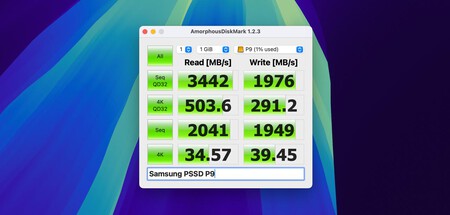
A benchmark we passed on SSDs
What results does it give in benchmarks? To test it, we used a MacBook Air with an M4 chip and AmorphousDiskMark software, an adapted version of CrystalDiskMark for MacOS. The results are read speeds of around 3,450 MB/s, while write speeds are between 1,900 and 2,640 MB/s. These figures, although they do not reach the maximum, tell us that we are dealing with a very fast SSD
We especially like this for large files. While the stats are great, we’re going to talk you through specific examples so you can see how the P9 behaves in the real world. It took us about 16 seconds to move a large 18GB file from the SSD to the Mac (in reverse, just 9 seconds). With a 52 GB video folder, the time from SSD to computer was 31 seconds, while the reverse was 50 seconds. This tells us that it is an ideal SSD for storing and moving large files.
Its performance slows down with very small files. We also tested the opposite scenario: 10,000 files of about 100 KB. It took us just under 48 seconds to copy them from the Mac to the SSD, while the test run took just 7.57 seconds. The speed drops drastically, which is normal if we consider that handling so many files is something that any storage unit has to spend. But this is a test that tells us that its performance is better to move many GB in few files than many files of small weight.
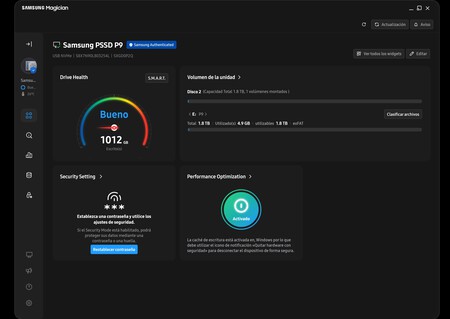
This is the Samsung software interface to Windows
Temperature management is outstanding. Another result of switching to a metal casing is better temperature management. Even if we left it on for more than 30 minutes copying files, we didn’t notice it getting too hot. This, in such a compact device, is a very positive thing.
Own software that works well, though not on all platforms. We have Samsung Magician software to manage various aspects of this SSD. It is a very intuitive panel that will allow us to run diagnostics on the device or optimize it Also configure both AES 256-bit hardware encryption and password protection, two security aspects that add points. However, there is one small problem: at the time of writing, these two options are only available on Windows and not MacOS.
Samsung SSD P9 data sheet
|
Samsung SSD P9 |
|
|---|---|
|
interface |
USB 4 Gen 3×2 |
|
bandwidth |
40Gbps |
|
sequential reading |
Up to 4,000 MB/s |
|
Sequential writing |
Up to 3,800 MB/s |
|
power |
1, 2, 4 and 8 TB |
|
Dimensions and weight |
90 x 65 x 8.3 mm 96 grams |
|
others |
Metal coating Drop resistant up to two meters 256-bit AES encryption Password protection Five year warranty |
|
price |
From 599 euros (2 TB). |
Samsung SSD P9, review by Xataka
Samsung’s P9 SSD is what one would expect from it: a fast, compact and very well-built storage device. Aside from its top speed, the truth is that the tests we have done on it have satisfied us quite a bit, Especially for transferring large files. This makes it ideal for users or professionals who handle heavy videos or large amounts of data. And all while maintaining a good temperature.
Its main negative point is also what imagines: its price. It’s a 2 TB external SSD that costs around 600 euros, which doesn’t make it suitable for all budgets Additionally, it’s hard to recommend for those who don’t have a USB 4 compatible device or plan to upgrade to one in the coming months.
Do I recommend it to you?
yes, Although only if you are a user who needs a fast SSD and you have a compatible device. In that sense, the P9 SSD can save you time on a daily basis, offering you the possibility to protect your data with 256-bit AES encryption. If you want an SSD for storing photos or backups, it’s probably worth looking for a cheaper option.
Picture | Xataka
In Xataka | Faster (and more expensive) isn’t always better: the big difference between buying an SSD and an HDD for backup
This device has been provided by Samsung for testing. You can check how we review our relationship with Xataka and the policy of our relationship with the company.